Exchange Online
less than a minute
To start the wizard for inventorying the Exchange Online Information, click the Exchange Online button. The Exchange Online step will be displayed after you have selected a company and a domain (see: Basic Steps).
The Exchange Online Inventory gives an overview of the following information:
- Mailboxes including permissions and size
- Public folders including permissions and size
- Distribution groups and e-mail contacts
With the exception of permissions, this information is also included in the Microsoft 365 inventory.
For downward compatibility with older Docusnap versions, the Exchange Online inventory data is located in the Infrastructure section.
An Azure App must be selected for the inventory. If no Azure App has been created yet, or another one is needed, the Register New App, button can be used to open the Manage Azure App dialog to create the App.
During the inventory, the option Inventory permissions on mailbox, mailbox folders & public folders can be used to select whether the permissions should be included in the inventory.
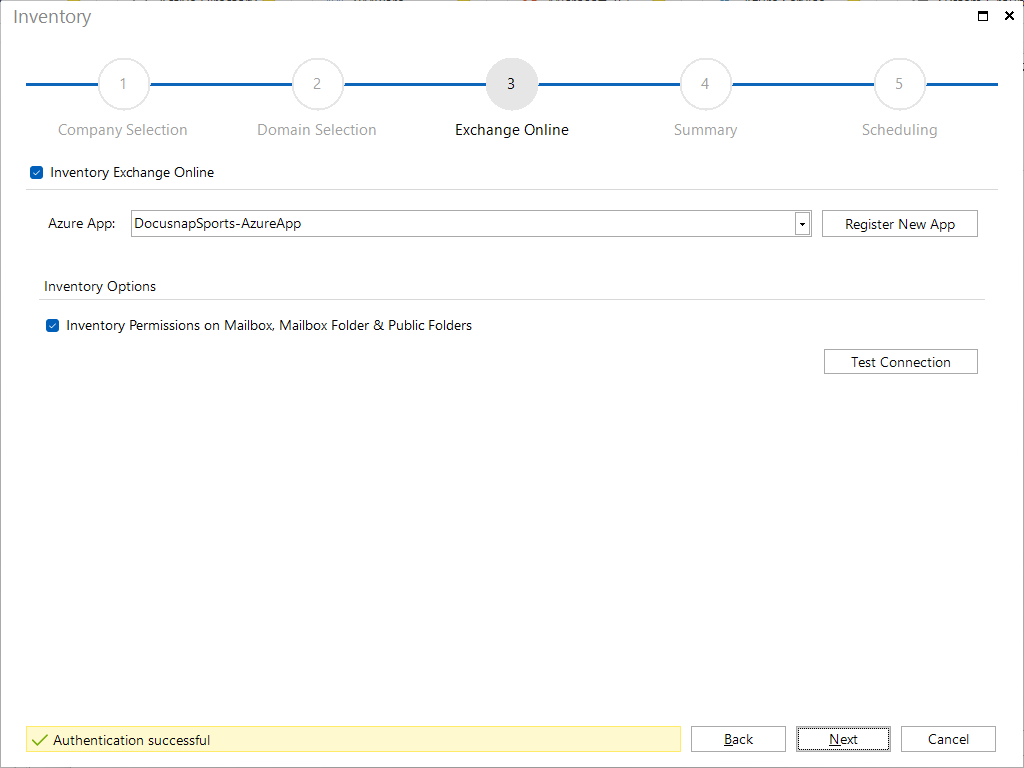
By clicking on the Test Connection button, it is checked whether the selected Azure App exists and has the required permissions. Then the Next button is activated and the inventory can be started.