Dell EMC Isilon
less than a minute
To start the wizard for inventorying Dell EMC Isilon systems, click the Dell EMC Isilon button. After you have selected a company and a domain (see: Basic Steps) the Dell EMC Isilon step is displayed.
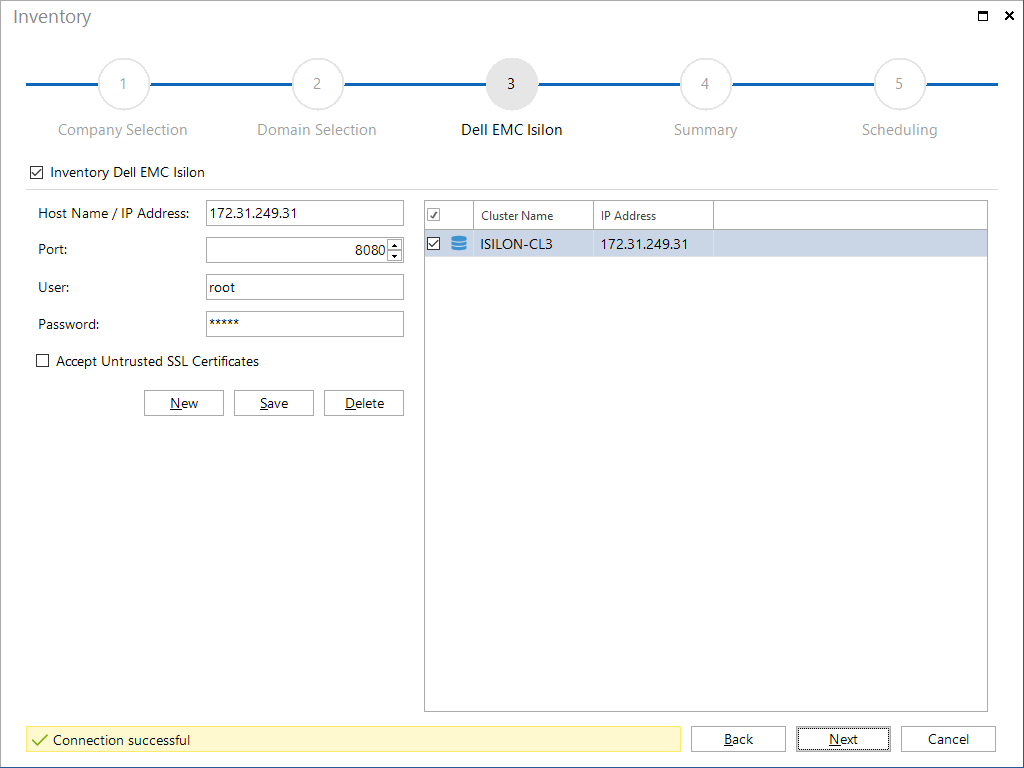
To inventory the desired Dell EMC Isilon system, click the New button and specify the respective system. The Host Name / IP Address text box accepts the name or the IP address of the Dell EMC Isilon system. By default, port 8080 is used, this can be changed. Additionally, the user name and password of a user must be specify, who has access to the system. It can also be defined that untrusted SSL certificates are accepted.