Connect
less than a minute
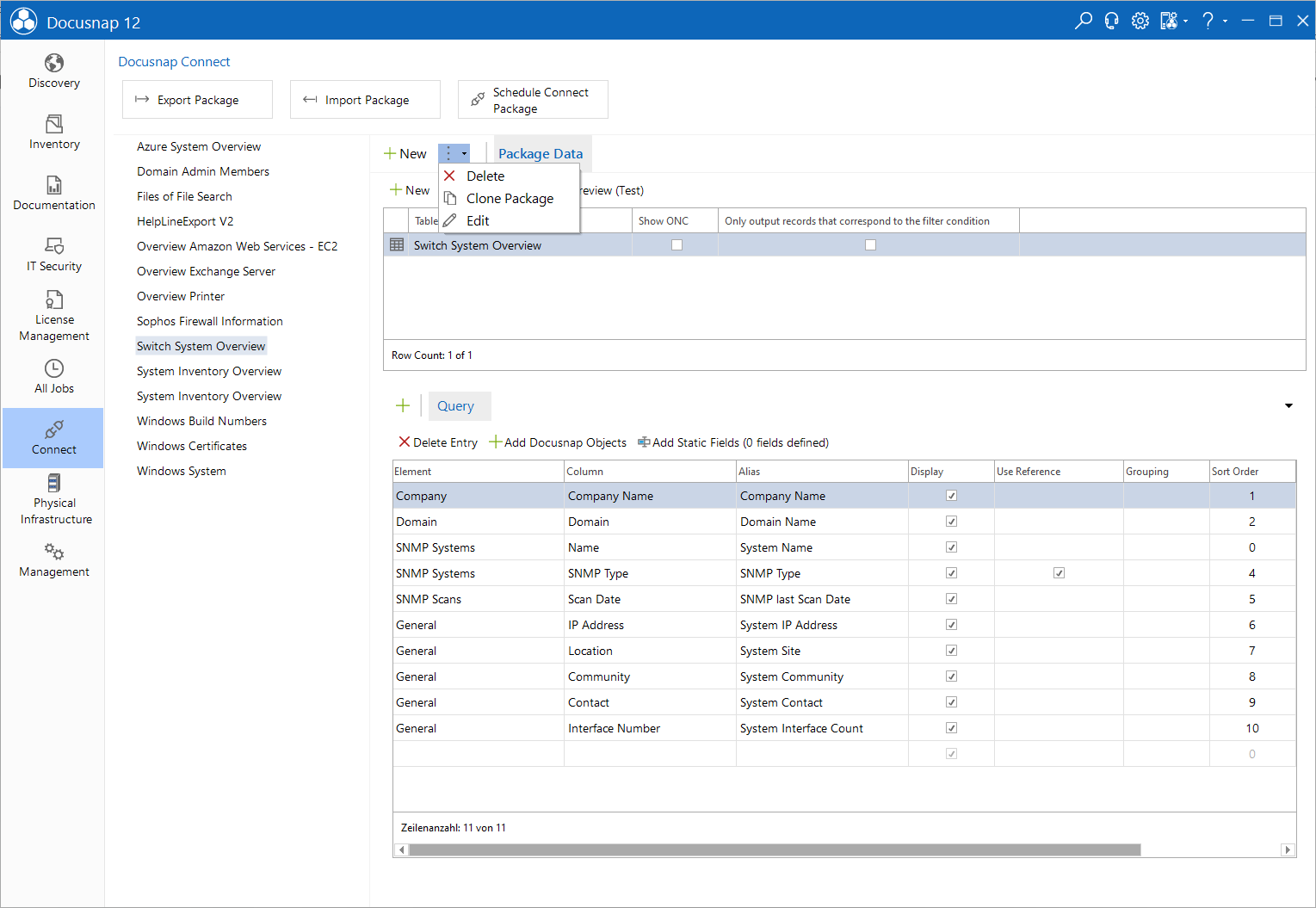
The Connect area is used to create and manage Connect Packages.
- The Connect Packages can be exported and imported using the Export Package and Import Package buttons.
- Schedule Conncet Package: Click the Schedule Conncet Package button to open the Docusnap Connect wizard. This wizard can be used to schedule a timed export of data.
Additional functions are available in the action bar.
- New: Creation of new Connect Packages is done with the New button.
- Delete: Existing Connect Packages can be removed using the Delete button.
- Clone package: Use the Clone Package button to copy a package and then modify it. Even packages that are included in the standard package and cannot be edited can be cloned and then customized as desired.
- Edit: Clicking the Edit button opens a dialog where you can change the package name and description.
More information about Connect can be found in chapter Docusnap Connect.