Search Parameters
2 minute read
Single Value
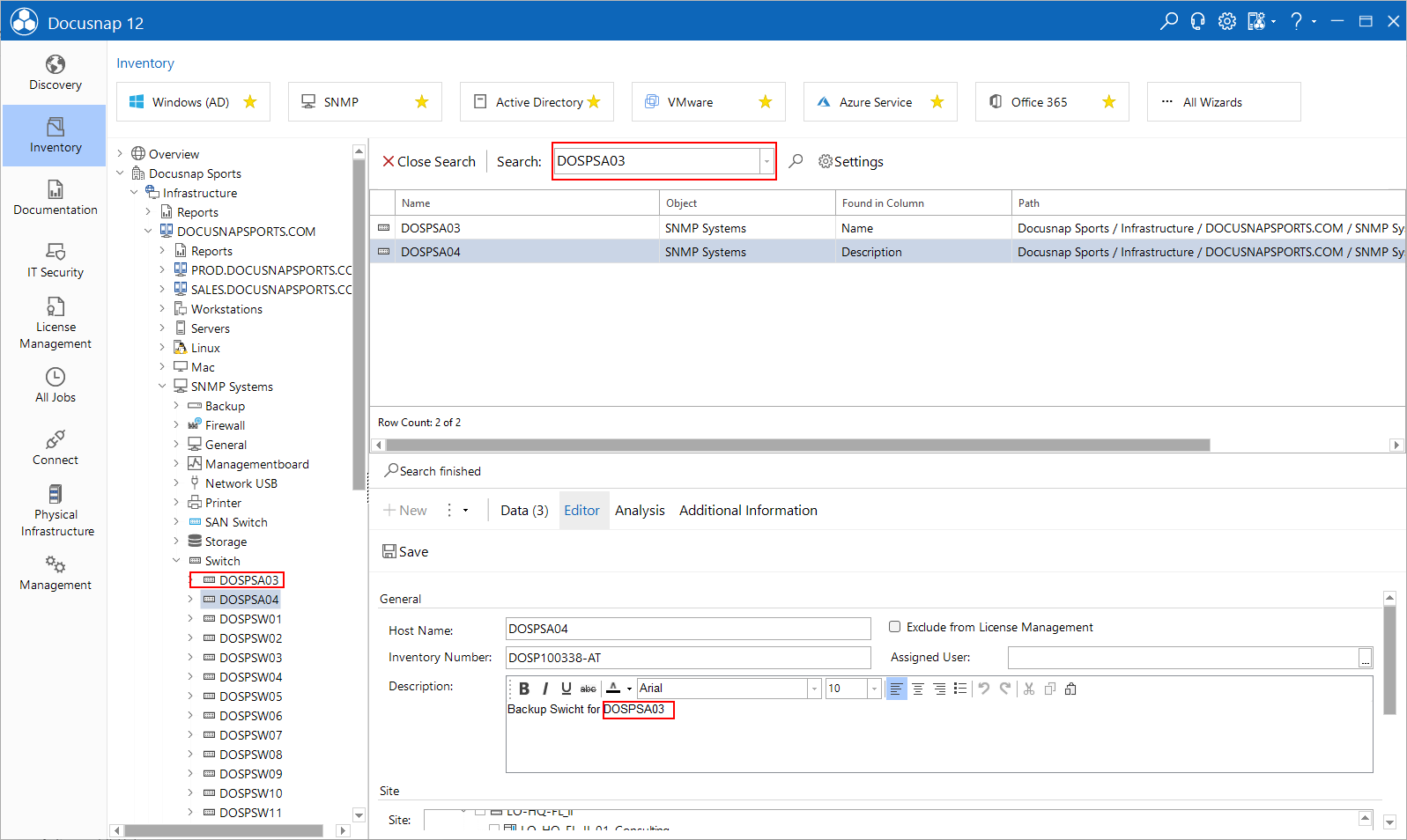
A search for DOSPSA03 returns all objects whose index contains this value. Examples are the system name of an object or the description text of an indexed object.
Wildcards
In the Docusnap Enterprise search, the symbol * can be used as a wildcard.
DOSPWS*4 returns all objects that begin with DOSPWS and end with the digit four. Independent of the characters in between.
- DOSPWS14
- DOSPWS004
- DOSPWS04
If the full-text search is installed on the SQL Server, the search can find a subset even without specifying the wildcard.
Unlike traditional search methods that require exact matches, full-text search allows you to search for keywords or phrases. It indexes words based on separators such as spaces and punctuation. When searching for system, the entry system 01 is found because system is recognized as a separate word. System01, on the other hand, is treated as a single word and is not found when searching for System.
For data where words and numbers often occur together, the use of wildcards can be useful to find all relevant entries. However, the use of wildcards can affect the performance of the full-text search.
Sequence of words and special characters
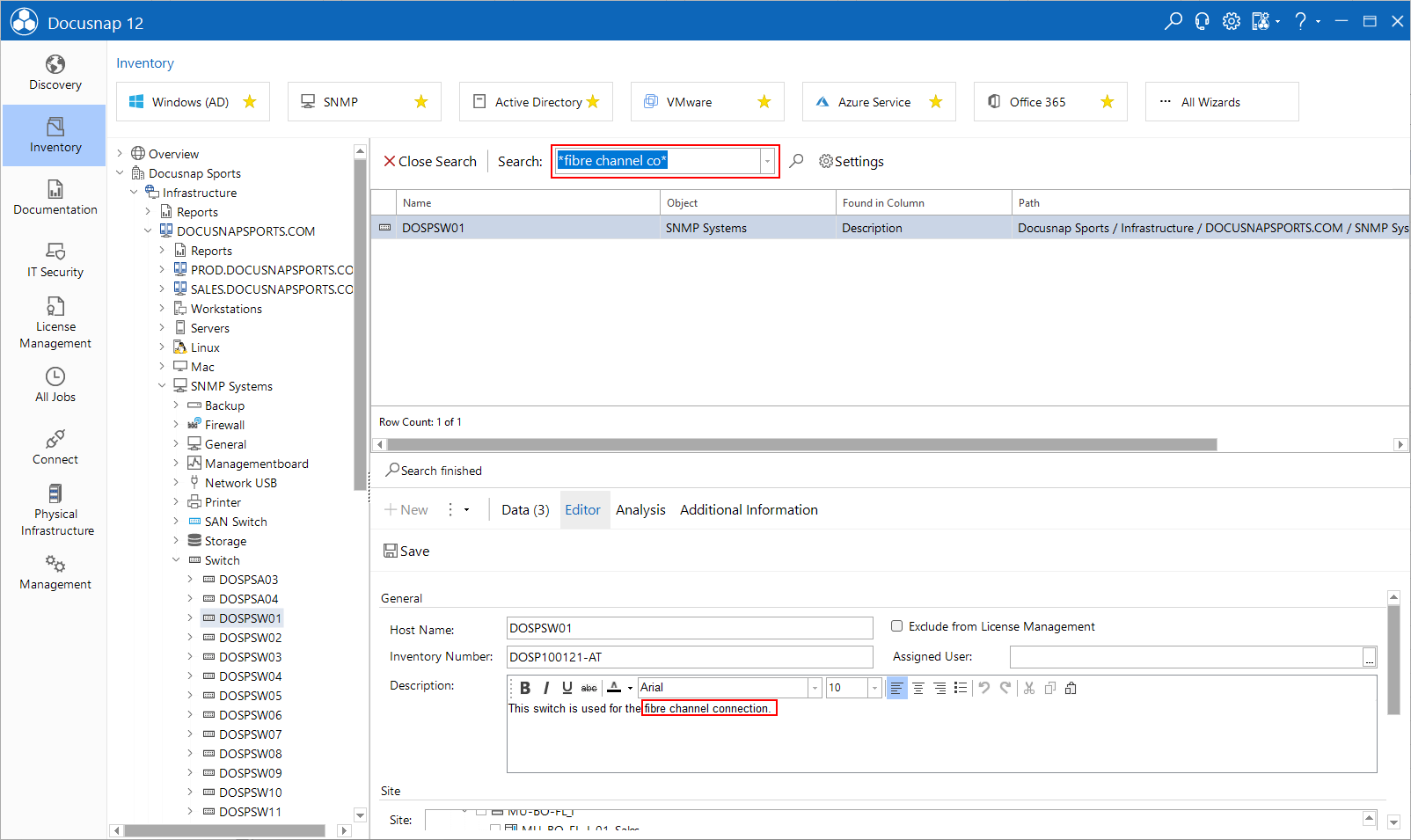
If you are searching for objects that contain spaces or special characters such as *, the search word must be placed in quotes. This also makes it possible to search for whole sentences or partial sentences in descriptions.
Object Filter
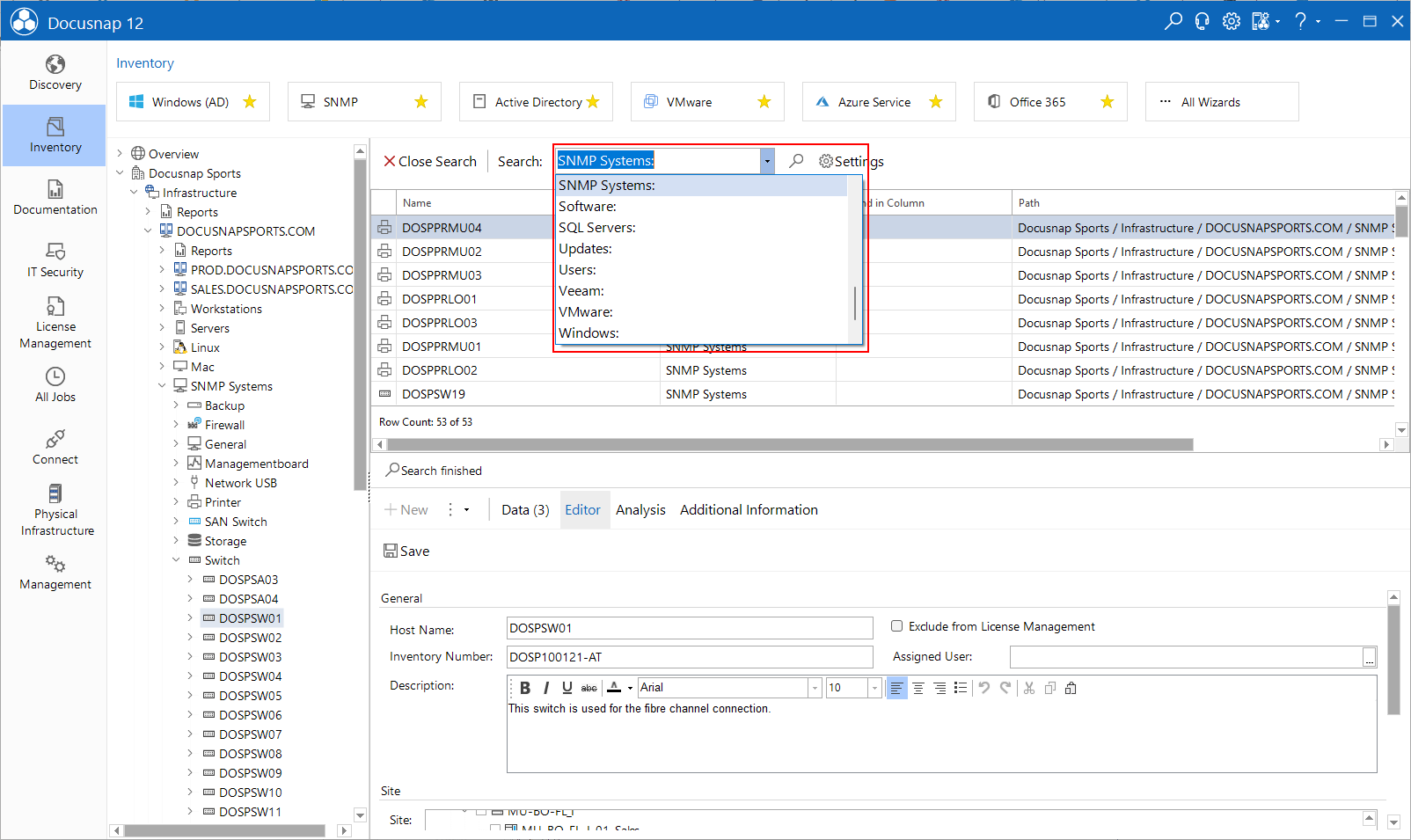
With the object filter it is possible to search for several entries of a same object. A search with the object filter is marked with a colon. You can get an overview of the available object filter via the drop-down menu of the search.
Workstations: - Output of all workstations
Workstations: *NB* - Output of all workstations with the substring NB