Merge Systems
less than a minute
In Docusnap, you can merge the inventory scans of different systems into one system. If the number of scans for the two systems to be merged exceeds the number of allowed archive versions, the oldest inventory scans will be deleted. A system can only be merged with another system in the same domain.
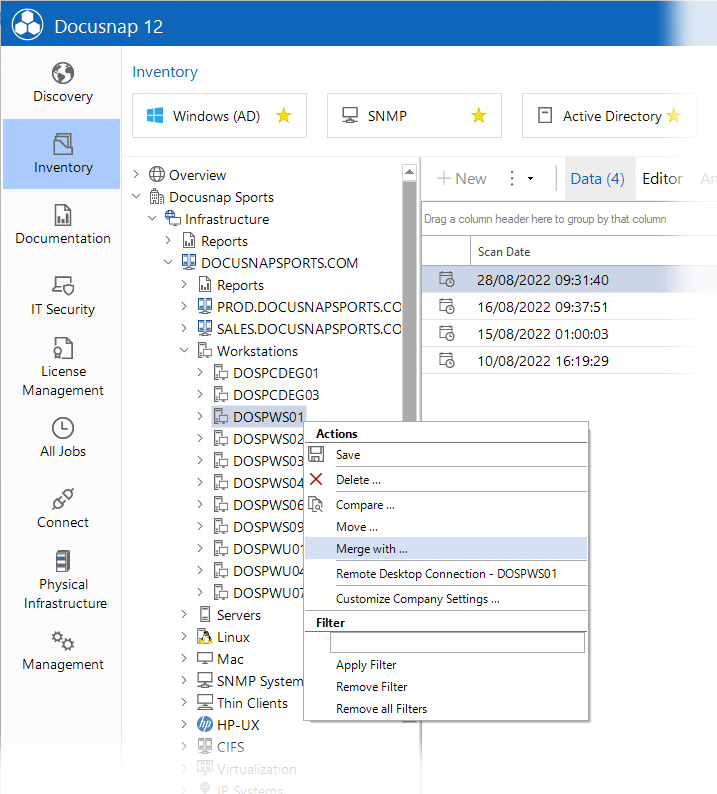
Right-click one of the systems to be merged and select Merge with from the context menu.
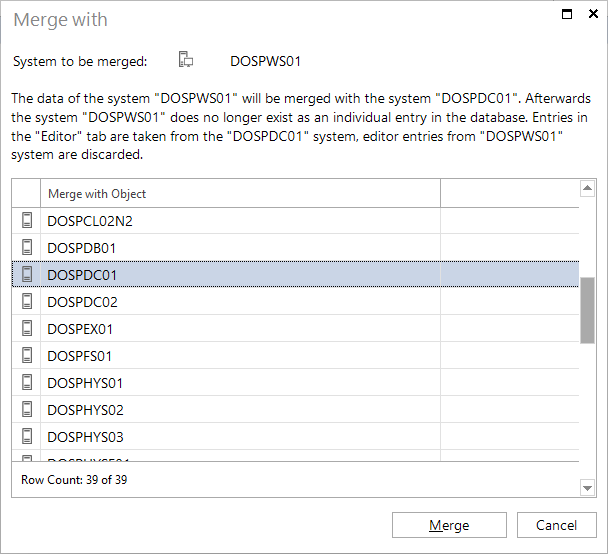
In the Merge with dialog, select the target system, i.e. the system into which the selected system should be merged. Click the Merge button to merge the two systems.
By merging systems, it can no longer be linked in the diagram. Therefore, it will be marked as (deleted).
If the data of a merged system has been added to a concept, this data is no longer in the concept after the updating the concept.
The entries from the Editor tab are not transferred for the merged system, only the entries from the selected system are kept.