Table of Contents
less than a minute
Click the Table of Contents button to add a table of contents to your concept. The captions of the individual elements are listed in the table of contents together with their page number. To create a table of contents, you must apply heading styles to the text you want to include, e.g. Headline 1, Headline 2, etc. The Concept Editor scans the concept for these headings and then generates the table of contents.
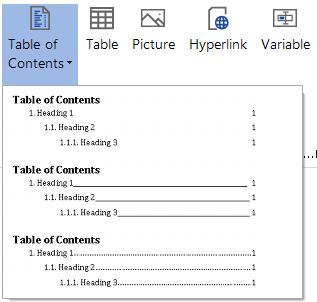
When you click the Table of Contents button, various designs are displayed that can be selected for the table of contents.
To update the table of contents, click the Refresh button in the General ribbon.